 how-to
How to Manage Access Control: A Step-by-Step Guide
Table of Contents
- What Access Control Is and Why It Matters
- Understanding Authentication vs. Authorisation in Access Control
- Access Control Best Practices for Your Business
- Managing Employee Access Levels: A Practical Approach
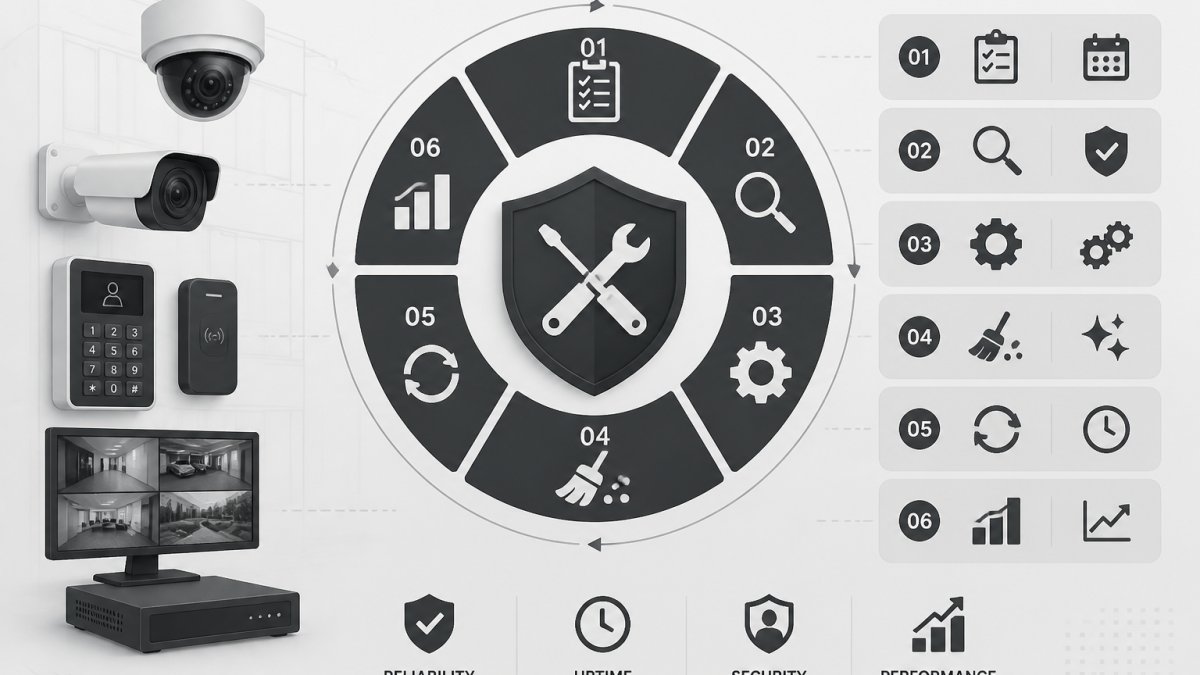
- Implementing an Access Control Audit Checklist
- How to Verify Alarm Response Times and System Effectiveness
- Common Access Control Risks and How to Mitigate Them
- Conclusion
Last Updated: August 20, 2026
What Access Control Is and Why It Matters
Access control is the practice of managing who can access what resources, when they can access them, and what they can do with those resources. It forms the foundation of any security strategy, whether you're protecting physical locations, digital systems, or sensitive data. At Tupper Security, we've seen firsthand how poor access control creates vulnerabilities that cost businesses time, money, and reputation.
The principle of least privilege underpins effective access control. This means each person receives only the minimum level of access required to perform their role. A receptionist doesn't need access to the server room. A warehouse worker shouldn't have keys to the executive office. When access is tightly controlled and regularly audited, you eliminate unnecessary exposure points.
Access control involves three core components: identification (who are you?), authentication (can you prove it?), and authorisation (what are you allowed to do?). These work together to create a system where you know exactly who accessed what, when, and why. This creates accountability and makes it far easier to respond when something goes wrong.
Understanding Authentication vs. Authorisation in Access Control
Many people use these terms interchangeably, but they're fundamentally different. Authentication is the process of verifying someone's identity. Authorisation is the process of determining what they're allowed to do once you've confirmed who they are.
Authentication answers the question: "Are you really who you claim to be?" This happens through credentials like passwords, biometric data, security tokens, or multi-factor authentication (MFA). MFA requires multiple forms of verification, something you know (password), something you have (phone or hardware key), or something you are (fingerprint). The stronger your authentication, the harder it is for someone to impersonate a legitimate user.
Authorisation answers the question: "What resources can this verified person access?" Once you've confirmed someone is actually Sarah from accounting, authorisation determines whether Sarah can view payroll data, modify budgets, or access the general ledger. This is where role-based access control (RBAC) comes in. You assign people to roles, and roles have specific permissions attached to them.
The relationship is sequential: authentication must happen first. You can't authorise someone until you've verified they are who they claim to be. But you also can't stop at authentication. Even if you're certain someone is legitimate, you still need to ensure they can only access what their role requires.
Single sign-on (SSO) systems simplify this by allowing users to authenticate once and gain access to multiple systems. Instead of remembering separate credentials for email, project management tools, and file storage, one login works across everything. This reduces password fatigue, lowers support costs, and makes it easier to revoke access when someone leaves, you disable one account instead of ten.
Access Control Best Practices for Your Business
Effective access control requires a deliberate strategy, not just reactive responses. Start by mapping what resources exist in your environment: physical spaces (offices, storage areas, server rooms), digital systems (databases, applications, file shares), and sensitive information (customer data, financial records, intellectual property).
Once you've identified what needs protecting, classify it by sensitivity. Not everything requires the same level of security. A public-facing website has different access requirements than a customer database or payroll system. By categorising resources, you can apply appropriate controls proportional to the risk.
Implement role-based access control (RBAC) as your foundation. Define roles based on actual job functions: manager, operator, technician, administrator. Assign permissions to roles, not individual people. When someone changes roles, you update their role assignment rather than manually adjusting dozens of individual permissions. This scales far better as your organisation grows.
Combine RBAC with attribute-based access control (ABAC) for finer-grained control. ABAC considers additional factors beyond role: time of day, location, device type, or whether the user is accessing from a trusted network. A finance team member might have access to the accounting system during business hours from the office, but not at 3 AM from a public WiFi network. These contextual rules catch suspicious activity automatically.
Implement multi-factor authentication (MFA) for any system handling sensitive data or critical operations. MFA significantly reduces the risk of compromise even if credentials are stolen. A password alone isn't enough, the attacker would also need the second factor (phone, security key, or authenticator app).
Regular access reviews are essential. At least quarterly, audit who has access to what and whether that access is still justified. People move between departments, take on new responsibilities, or leave the organisation entirely. Without regular reviews, access accumulates like digital clutter. Former employees still have credentials. People retain access to systems they no longer use. This is how breaches happen, not through sophisticated hacking, but through forgotten access.
Managing Employee Access Levels: A Practical Approach
Employee access should reflect their current role and nothing more. The moment someone changes positions, their access should change too. This requires a formal process called user provisioning and de-provisioning.
When someone joins your organisation, provisioning means creating accounts and granting the specific access their role requires. This should happen before their first day. When someone leaves, de-provisioning means disabling accounts and revoking access. This should happen immediately, not a week later when someone remembers to ask IT.

Create an access request workflow. Employees shouldn't be able to grant themselves access to new systems. Instead, they submit a request to their manager, who approves it based on job requirements. IT then provisions the access. This creates a paper trail and ensures someone is explicitly authorising each access grant.
For contractors and temporary staff, apply even stricter controls. Their access should be time-limited, automatically expiring when the contract ends. Don't rely on manual de-provisioning for temporary workers. Automate the expiration so you don't accidentally leave former contractors with system access.
Separate duties wherever possible. One person shouldn't have both the ability to approve transactions and execute them. One person shouldn't have both database admin access and the ability to change audit logs. This principle of separation prevents a single compromised account from causing catastrophic damage.
Document who has access to what and why. This documentation is critical during security incidents, compliance audits, and investigations. When something wrong, you need to answer: "Who could have accessed this? Who actually did? What did they do with it?" Without documentation, you're guessing. AI agent access control.
Implementing an Access Control Audit Checklist
An access control audit verifies that your system is working as designed and that no unauthorised access exists. This isn't a one-time activity, it's ongoing. Regular audits catch drift before it becomes a problem.

Start with a physical inventory. Walk through your facilities and document every access point: doors, gates, windows, server rooms, storage areas. Verify that locks work, that access cards are properly configured, and that physical security measures are in place. Check that high-security areas like server rooms have appropriate barriers and that only authorised personnel can enter.
Review all active accounts in your systems. Cross-reference against current employee rosters. Look for accounts belonging to people who no longer work for you. Check for inactive accounts that should have been deleted. Verify that each active account has a documented business reason for existing.
Audit permission assignments. For each user, verify their access matches their current role. Look for excessive permissions, people with access to systems they don't need for their job. Check for conflicting permissions that shouldn't exist together. Document any anomalies.
Test your authentication systems. Attempt to access systems with invalid credentials and verify they're rejected. Test multi-factor authentication to ensure it's working properly. Try accessing from unusual locations or times to verify that contextual controls are functioning.
Review access logs for suspicious activity. Look for failed authentication attempts, access from unusual times or locations, or access to resources outside normal patterns. Investigate any anomalies. Access logs are only useful if someone actually reviews them.
Create a checklist to ensure consistency:
- Physical access points documented and verified
- All active accounts cross-referenced against current staff
- Inactive accounts identified and scheduled for deletion
- Permission assignments audited against job roles
- Multi-factor authentication functioning on critical systems
- Access logs reviewed for anomalies
- De-provisioning procedures tested
- Documentation current and complete
- Compliance requirements verified
- Incident response procedures reviewed
Document your findings. Note what's working well and what needs improvement. Create an action plan for remediating any issues. Set timelines for addressing gaps. Assign responsibility for each action item.
How to Verify Alarm Response Times and System Effectiveness
Access control systems are only effective if they're actively monitored and if security personnel respond promptly when issues occur. Verifying response times is critical because a slow response defeats the purpose of having an alarm system.
Test your system regularly. Create controlled scenarios where you trigger an alarm and measure how long it takes from activation to response. Document the results. A response time that takes 45 minutes is worse than useless, it gives people false confidence while providing no actual protection.
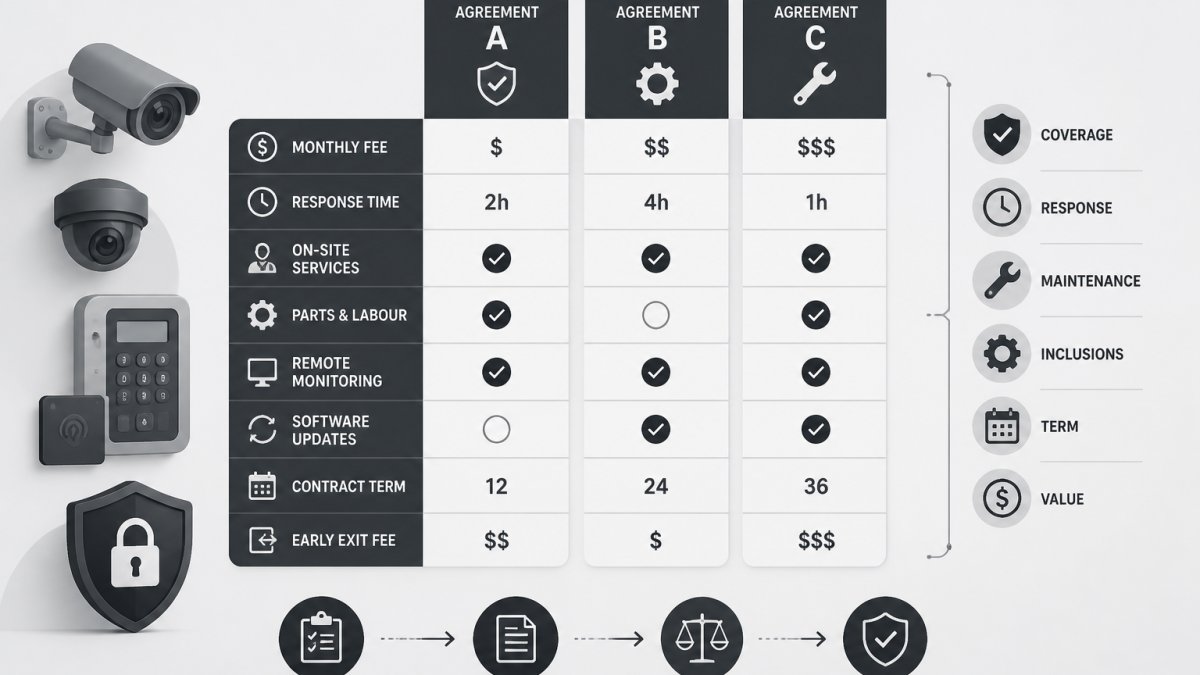
When evaluating a security provider, ask specific questions about response times. Don't accept vague promises like "fast response." Ask: "What's your average response time to alarm activations? How do you measure it? What's your worst-case scenario?" A reputable provider can provide documented response metrics because they track them.
Verify that your access control system integrates with your alarm monitoring. When an access violation occurs, does the system automatically alert your security provider? Does it log the incident with timestamp and details? Integration between access control and alarm systems creates a complete picture of what happened.
Test de-activation procedures. When security personnel arrive, can they quickly and securely de-activate the alarm? Slow de-activation wastes time and creates frustration. Verify that your system allows authorised personnel to de-activate quickly while preventing unauthorised de-activation.
Review incident reports from your security provider. How many false alarms occurred? What triggered them? False alarms waste resources and erode confidence in the system. If your false alarm rate is high, work with your provider to identify and eliminate sources of false triggers.
Common Access Control Risks and How to Mitigate Them
Weak authentication is the most common vulnerability. Passwords alone are insufficient. People reuse passwords across systems, choose weak passwords, or write them down. Implement MFA everywhere sensitive data exists. Require strong passwords and use password managers to eliminate the temptation to reuse or simplify.
Excessive permissions create unnecessary risk. When people have access to more than they need, a compromised account exposes more than it should. Regularly audit permissions and remove anything not actively needed. The principle of least privilege isn't just good practice, it's essential risk management.
Lack of access logging means you can't investigate incidents. Without logs, you don't know who accessed what or when. Implement comprehensive logging and ensure someone reviews logs regularly. Logs are only useful if they're monitored and acted upon.
Poor de-provisioning leaves former employees with access. This is shockingly common. Implement automated de-provisioning where possible. For manual processes, create checklists ensuring nothing is forgotten. Verify that off-boarding includes a security handoff where IT confirms all access has been revoked.
Inadequate physical security undermines digital access control. If someone can physically access a server and extract the hard drive, your access control system doesn't matter. Secure physical infrastructure with locked rooms, surveillance, and restricted entry.
Lack of audit trails makes compliance impossible and incident investigation nearly impossible. Ensure all access control events are logged with timestamp, user, resource, and action. Maintain logs for sufficient time to meet regulatory requirements and support investigation.
Inconsistent enforcement erodes the entire system. If some people follow access control procedures while others bypass them, you've failed. Make access control non-negotiable. Apply the same standards to everyone, including executives and IT staff.
Access control isn't a one-time implementation, it's an ongoing discipline. The organisations that maintain strong security posture are those that treat access control as a continuous process of monitoring, auditing, and improvement. Tupper Security helps businesses implement and maintain access control systems that actually protect what matters. From initial design through ongoing audits and incident response, we ensure your access control strategy matches your actual risk profile and operational reality.
Request a quote to discuss how we can strengthen your access control and security posture.
Frequently Asked Questions
What is the difference between authentication and authorisation in access control?
Authentication verifies who someone is, typically through credentials, multi-factor authentication, or identity verification methods. Authorisation determines what authenticated users can access once their identity is confirmed. Together, they form the foundation of identity and access management. Authentication answers 'Are you who you claim to be?', while authorisation answers 'What are you allowed to do?'. Both are essential to how to manage access control effectively.
How often should access control permissions be audited?
Conduct access control audits at least quarterly, or immediately after staff departures, role changes, or security incidents. Quarterly reviews catch dormant accounts and permission creep, when users accumulate unnecessary access rights over time. For high-security environments or multi-site operations, monthly audits are recommended. Document all findings and remediation actions for compliance audit purposes. Regular audits are a cornerstone of access control best practices and reduce the risk of unauthorised access.
What should be included in an access control audit checklist?
Your access control audit checklist should verify: active user accounts match current staff, terminated employees are de-provisioned promptly, role-based access control (RBAC) assignments match job responsibilities, privileged access management (PAM) accounts are monitored, multi-factor authentication (MFA) is enforced, access logs are reviewed for anomalies, and security policies are current. Document each check, note any gaps, and assign remediation owners with deadlines. This systematic approach ensures you're managing employee access levels consistently across all sites.
How can I verify that alarm response times meet my expectations?
Request documented response time data from your security provider for the past 90 days, including timestamp of alarm trigger, dispatch time, and arrival time. Compare actual times against your service agreement. Conduct unannounced test activations monthly and record results. Ask your provider for their average response time in your area and their dispatch protocols. Faster response depends on proximity, a local depot with dedicated mobile patrol units typically outperforms distant call centres. This verification process is critical to how to verify alarm response times and ensure your access control system's effectiveness.
This article was written using GrandRanker